
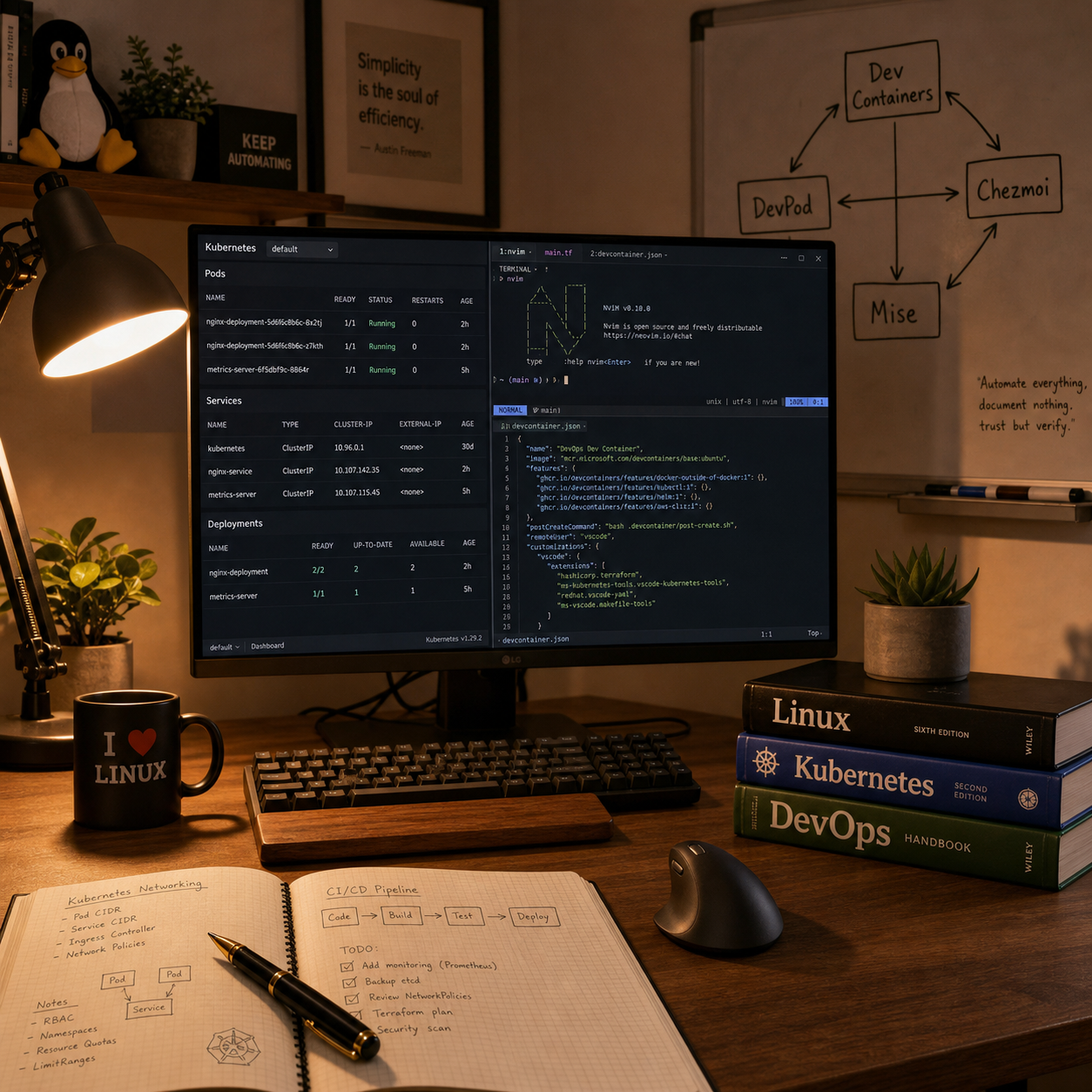
Reproducible environments with Dev Containers and DevPod
Recently, I took a course titled “Dev Containers Neovim and Config Management”. One of the strongest ideas I took from this course was that a development environment should be treated like real infrastructure: reproducible, shareable, and easy to rebuild. The Dev Container model made that idea concrete for me through the devcontainer.json, base images, features, and post-create steps that define a workspace in code instead of leaving it to tribal knowledge or laptop drift. In practice, that is the same mindset I want in platform work: if an environment matters, it should be declared, recreated, and inspected like any other operational asset.
I especially liked the way this approach addresses the old “works on my machine” problem. When the versions of tools, runtimes, CLIs, and ports are described up front, onboarding becomes cleaner and recovery after breakage becomes far less painful. A very real Kubernetes example is a platform repository that expects a known combination of kubectl, helm, cloud CLIs, and YAML tooling; defining that in the container avoids subtle mismatches between engineers who are all working on the same cluster workflows.
The distinction between containerEnv and remoteEnv was another detail that turned out to matter more than it first appears. It is a small boundary on paper, but it affects where variables are visible and how tools actually behave inside the environment. That is exactly the kind of detail that matters in real cloud work, for example when local cluster tooling, authentication helpers, or CI-style commands behave differently because environment variables exist in the terminal context but not in the container itself.
The DevPod part added a more operational view of the same topic. I had to deal with providers, workspace lifecycle, SSH agent requirements, dotfiles integration, and recreation behavior, and those rough edges were useful because they revealed the real moving parts behind the abstraction. In a cloud engineering scenario, this maps well to disposable but consistent workspaces for cluster administration, GitOps changes, or incident response, where I want a clean tool environment without polluting my daily machine with long-lived dependencies.
I also appreciated the reminder that defaults are not always as deterministic as they look. My notes around explicitly forcing --ide none, setting default dotfiles, and still seeing leftovers from earlier experiments were a good lesson that automation has to be verified, not trusted blindly. From an SRE perspective, that is a healthy habit: a rebuild is only truly reliable if I understand what state is being reused and what is actually being recreated.
Managing dotfiles as personal infrastructure with Chezmoi
Chezmoi was the part that made personal configuration management feel disciplined rather than improvised. I liked the idea that shell, editor, and tooling configuration can live in a Git-backed source of truth instead of being hand-edited forever on one machine until nobody remembers how it evolved. That matters even more in containerized and cloud-based workflows, because a good environment should be portable across fresh laptops, ephemeral workspaces, and rebuilt systems.
The workflow itself felt clean: initialize, add files, edit them through Chezmoi, review diffs, apply changes, and sync everything back to Git. I found that practical because it creates a clear loop between experimentation and version control instead of mixing live edits with vague memory. In a real Kubernetes or multi-cloud setup, the same thinking is useful when I need a consistent shell, prompt, credentials layout, and editor behavior across a local workstation, a remote admin VM, and a temporary troubleshooting container.
Templating was another valuable piece. A single repository can adapt to operating system, hostname, or architecture without duplicating entire configuration trees. That becomes useful whenever the same engineering intent has to be carried across Linux laptops, ARM devices, disposable workspaces, or remote bastion environments.
I also liked the externals and script capabilities because they make the dotfiles repository more than a collection of static files. It can fetch binaries, manage archives, and run controlled setup logic during application. At the same time, this part reinforced an important DevOps principle for me: setup scripts should stay small, understandable, and idempotent, because once personal automation becomes too clever it turns into technical debt very quickly.
Tooling strategy with Mise
Mise tied much of the course together because it provided a structured way to manage tools, versions, environment handling, and even tasks. What I found most useful was the separation between global configuration and project-specific configuration through mise.toml. That distinction is important in DevOps work because not every repository should impose its tooling choices on the whole machine.
A project can declare the exact versions it needs, and Mise can install and activate them without forcing those decisions globally. In practical Kubernetes work, that is helpful when one repository still targets an older cluster and needs a specific kubectl or helm version, while another repo is already aligned with a newer platform release. Encoding that requirement in the project reduces confusion and makes the toolchain easier to reproduce.
The trust model was another strong point. Unknown config files are not automatically executed, which is a good default when working across many repositories and temporary environments. In real cloud engineering, that matters when engineers clone examples, vendor repositories, or internal automation code and need clear boundaries around what local tooling is allowed to activate.
I also found it useful that Mise can be integrated at different layers: inside the Dockerfile, through shell activation, through post-create commands, and through Chezmoi-managed configuration. That helped me think more clearly about where tool installation logic belongs. A practical platform example is deciding whether a binary like kubectl belongs in the base development image for everyone, in a project-local mise.toml for one repository, or in a personal layer that should stay outside team-owned project code.
The automatic trust-and-install flow was especially interesting when combined with Chezmoi scripts and post-create automation. That turns environment setup into a controlled chain: container starts, dotfiles arrive, trusted tool definitions are applied, and the expected binaries become available with minimal manual repair. For me, that was one of the clearest examples of personal developer experience and DevOps thinking meeting in a useful way.
Foundations first, then Neovim ergonomics
One part of the course I strongly agreed with was the recommendation to build fundamentals before going deep into advanced shell and editor setups. That learning path feels mature: understand Bash, Vim, pipes, redirection, and basic UNIX tools first, then add more powerful abstractions on top. In incident work on Linux hosts, containers, or restricted recovery systems, those fundamentals are often the only tools that are guaranteed to exist.
Because I have been a Linux power user, administrator, and developer for roughly three decades, I did not take this course to learn the shell from scratch. My resume reflects many years of Linux administration, scripting, infrastructure work, networking, virtualization, and developer tooling, so the shell sections were more a matter of selective refinement than new fundamentals. That is why I was comfortable skipping parts of the deeper Zsh path and instead focusing on the pieces that were worth transferring into my own setup.
Even so, shell ergonomics still matter. Prompt design, aliases, completions, and better terminal feedback are not just decoration when large parts of the day are spent in terminals. In a Kubernetes troubleshooting session, a clean prompt, fast completions, and predictable shell behavior can make routine tasks like switching contexts, inspecting pods, reading logs, or editing manifests faster and less error-prone.
The Neovim and LazyVim sections were useful to me for a similar reason. I did not see them as magic, but as a reminder that a modern terminal editor is really a configurable environment made from Lua configuration, plugin choices, extras, colorschemes, options, and workflow-specific ergonomics. For DevOps work, that is attractive because so much of the day is spent reading and modifying text: YAML, Helm values, shell scripts, Dockerfiles, CI pipelines, and notes.
What I liked most was that the course connected editor setup back to dotfiles, version control, and reproducibility instead of treating it as isolated customization. That made the Neovim part feel aligned with the rest of the course rather than a separate hobby project. A useful real-world example is editing a deployment manifest or Terraform file directly inside a remote workspace or container during an investigation, where a dependable keyboard-driven editor can be more effective than relying on a heavier local IDE workflow.
Where this fits in my DevOps journey
I took this course from KubeCraft, and it fits naturally into my ongoing DevOps learning journey because it connected long-standing Linux habits with newer patterns for reproducible development environments, portable dotfiles, and project-scoped tooling. I already came into it with decades of Linux, infrastructure, networking, and development experience, so I did not need to relearn the shell itself. What I did gain was a more modern, structured way to package that experience into workflows that are easier to rebuild, share, and eventually standardize for broader DevOps and Kubernetes work.
From the perspective of a senior DevOps and SRE team, the growth opportunity for me here is clear. It is not only about having a polished personal setup, but about turning these ideas into repeatable platform patterns that improve onboarding, reduce environment drift, and make operational work easier for a whole team. That is the part I want to keep pushing further: less artisanal machine setup, more explicit and transferable engineering systems.